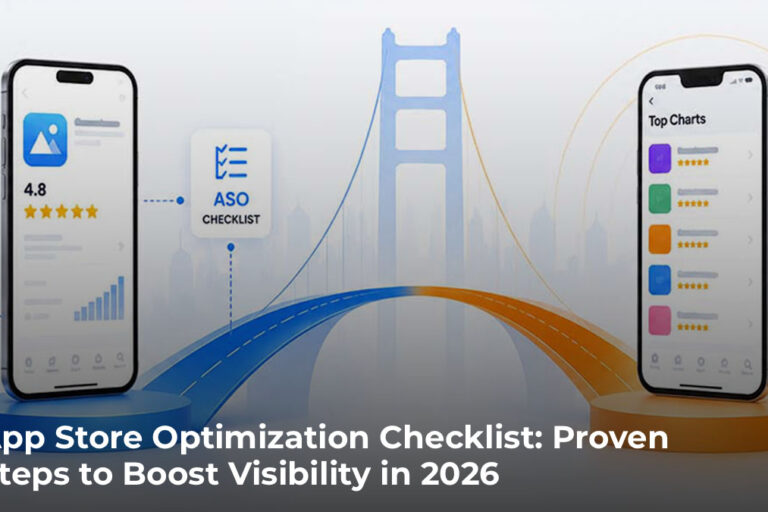

App Store Optimization Checklist: Proven Steps to Boost Visibility in 2026
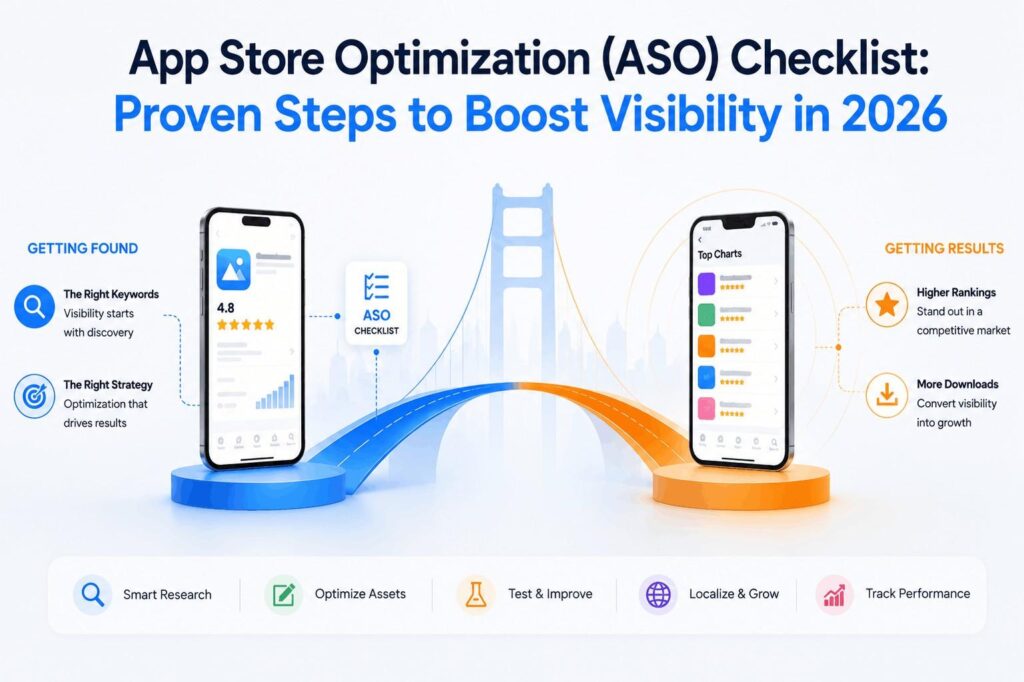
The app stores have become saturated with countless apps chasing the same users around the same idea.
This makes one thing clear. Getting your app built is one thing. While getting it found is another. If users can’t find it in the App Store or Google Play, no matter how polished the product is, it still goes unnoticed.
That’s where app store optimization becomes necessary. It gives your app the staying power it needs to thrive long after launch.
This guide walks through a complete app store optimization checklist covering keyword research, metadata, visual assets, ratings management, and the platform-specific differences between iOS and Google Play that determine where your app ranks.
Table Of Contents
- What is App Store Optimization
- Why Mobile App Store Optimization Matters
- How App Store Ranking Algorithms Work
- App Store Keyword Optimization
- How to Optimize Your App Title and Metadata
- App Store Visual Optimization
- How to Improve App Ratings and Reviews
- A/B Testing for App Store Listings
- How to Localize Your App for Global Markets
- Platform-Specific App Store Optimizations
- How to Track ASO Performance
- Essential ASO Tools for Your Checklist
- Common ASO Mistakes That Hurt Your Rankings
- Your Competitors Are Already Optimizing. Are You?
- FAQs About App Store Optimization
What is App Store Optimization
App Store Optimization (ASO) is the process of improving an app’s visibility and conversion rate in app stores through keyword research, metadata optimization, compelling visuals, and ratings management.
It’s like doing SEO for mobile apps. The goal is to help your app rank higher in search results and convince more people to download it once they find your listing.
ASO applies to both the Apple App Store and Google Play Store, though each platform works differently.
Why Mobile App Store Optimization Matters
Roughly 70% of app installs originate from app store search. Users who find your app organically tend to have higher intent than those who click on ads, which often translates to better retention rates as your scalable mobile app grows over time.
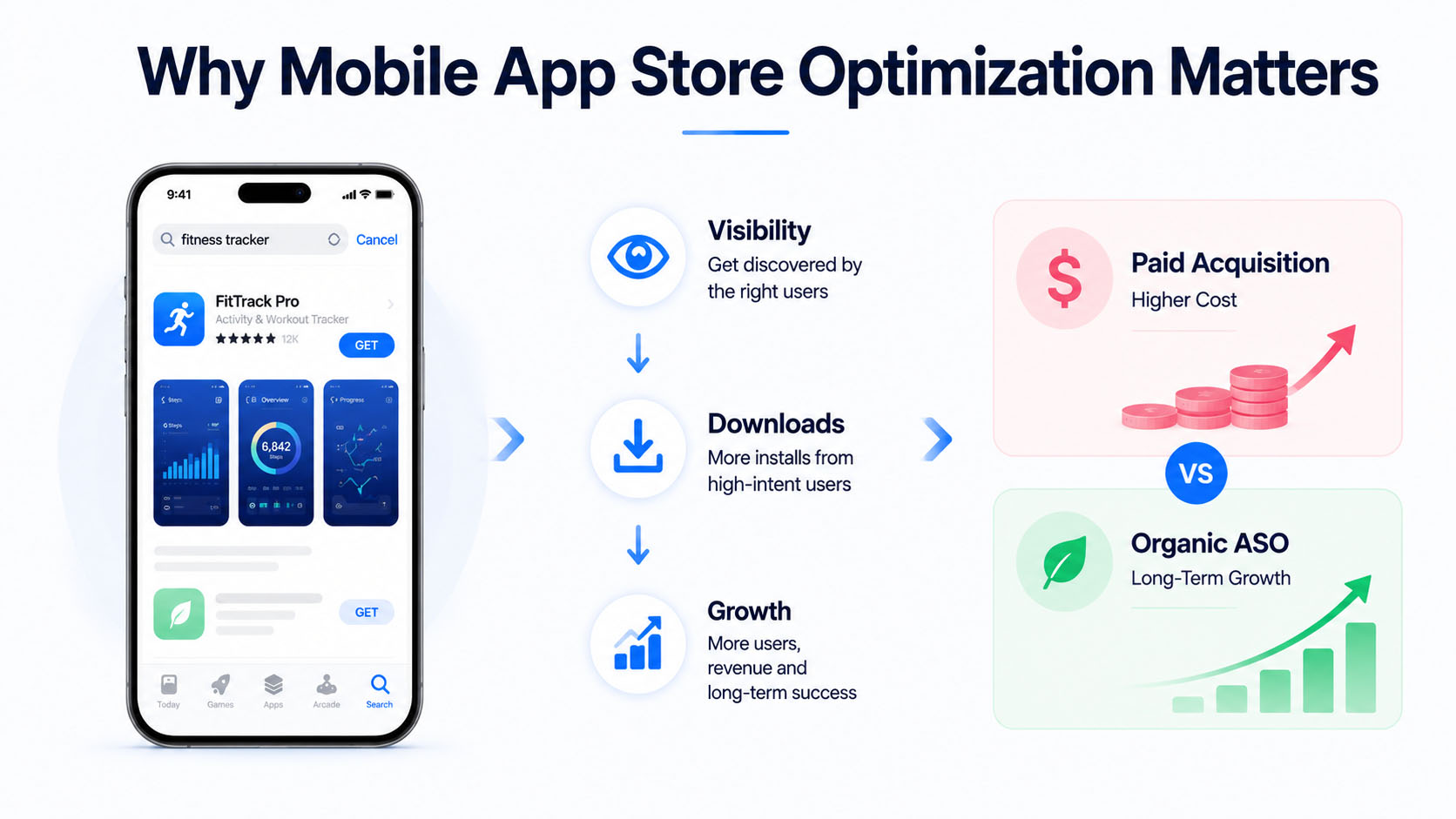
From a cost perspective, organic downloads are significantly cheaper than paid acquisition. Ad campaigns can average $4.70 per install on iOS alone, which adds to the overall cost to make an app. But organic installs driven by strong ASO are essentially free once the optimization work is done.
That said, paid campaigns and ASO also work better together than they do independently. An influx of paid installs drives download velocity, which signals popularity to the algorithm and can lift your organic rankings in the process. Meanwhile, a well-optimized listing improves conversion rates across all traffic sources, making your paid spend go further. The two strategies reinforce each other when planned together from the start.
How App Store Ranking Algorithms Work
Apple and Google use different signals to determine which apps appear in search results. Understanding these differences helps explain why certain checklist items matter more on one platform than the other.
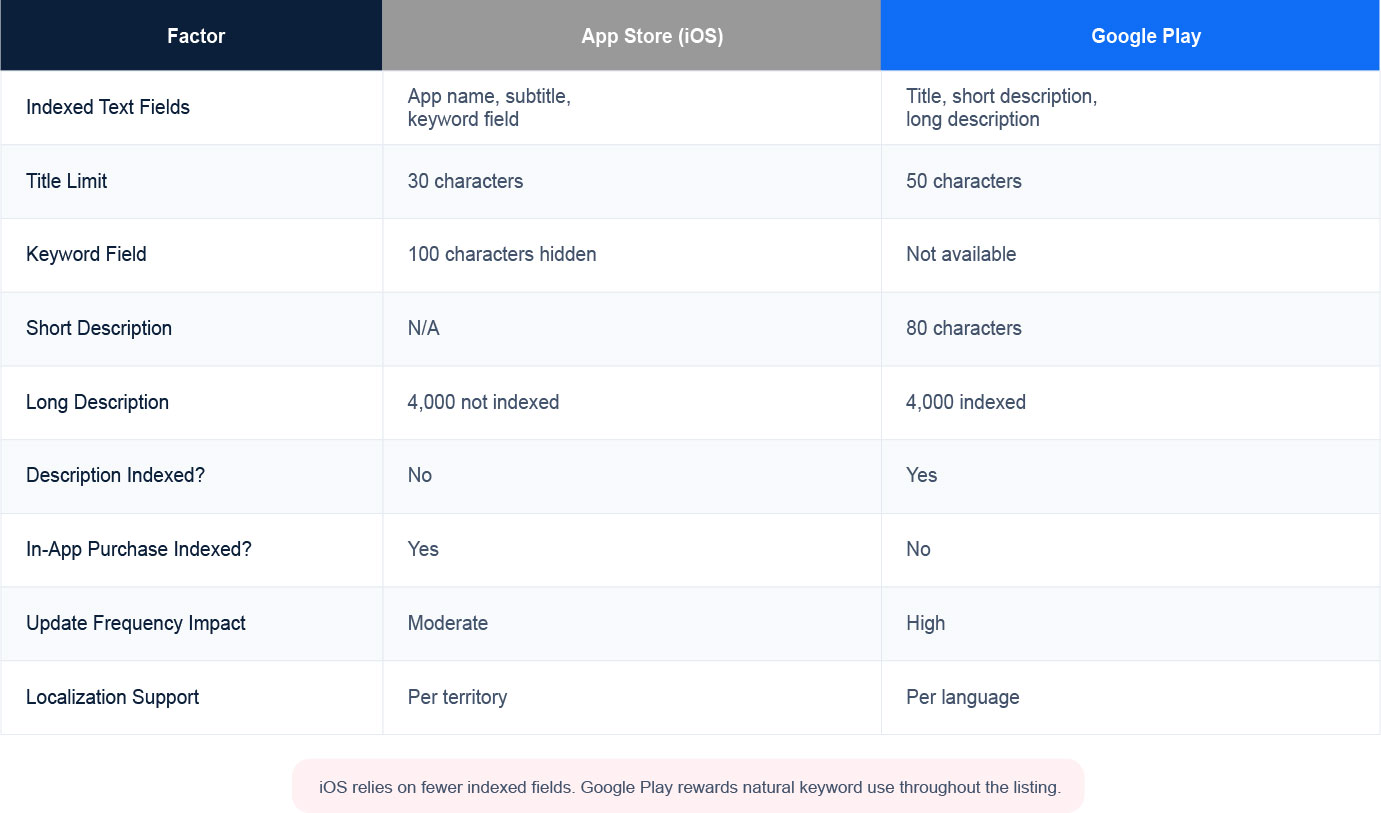
In the iOS App Store, Apple’s algorithm focuses on a limited set of text fields. Your app name, subtitle, and the hidden keyword field are the only places where keywords directly influence search rankings. The long description does not get indexed.
Download velocity, ratings, and engagement metrics like session length also play a role. Apple rewards iOS apps that users actively engage with after downloading.
While Google takes a different approach by crawling all text fields in your listing. Your title, short description, and long description all contribute to keyword rankings. Keyword density matters here, so repeating important terms naturally throughout your listing can improve visibility.
Install counts, ratings, and engagement factors into rankings as well. Google also considers how often users uninstall your app shortly after downloading.
App Store Keyword Optimization
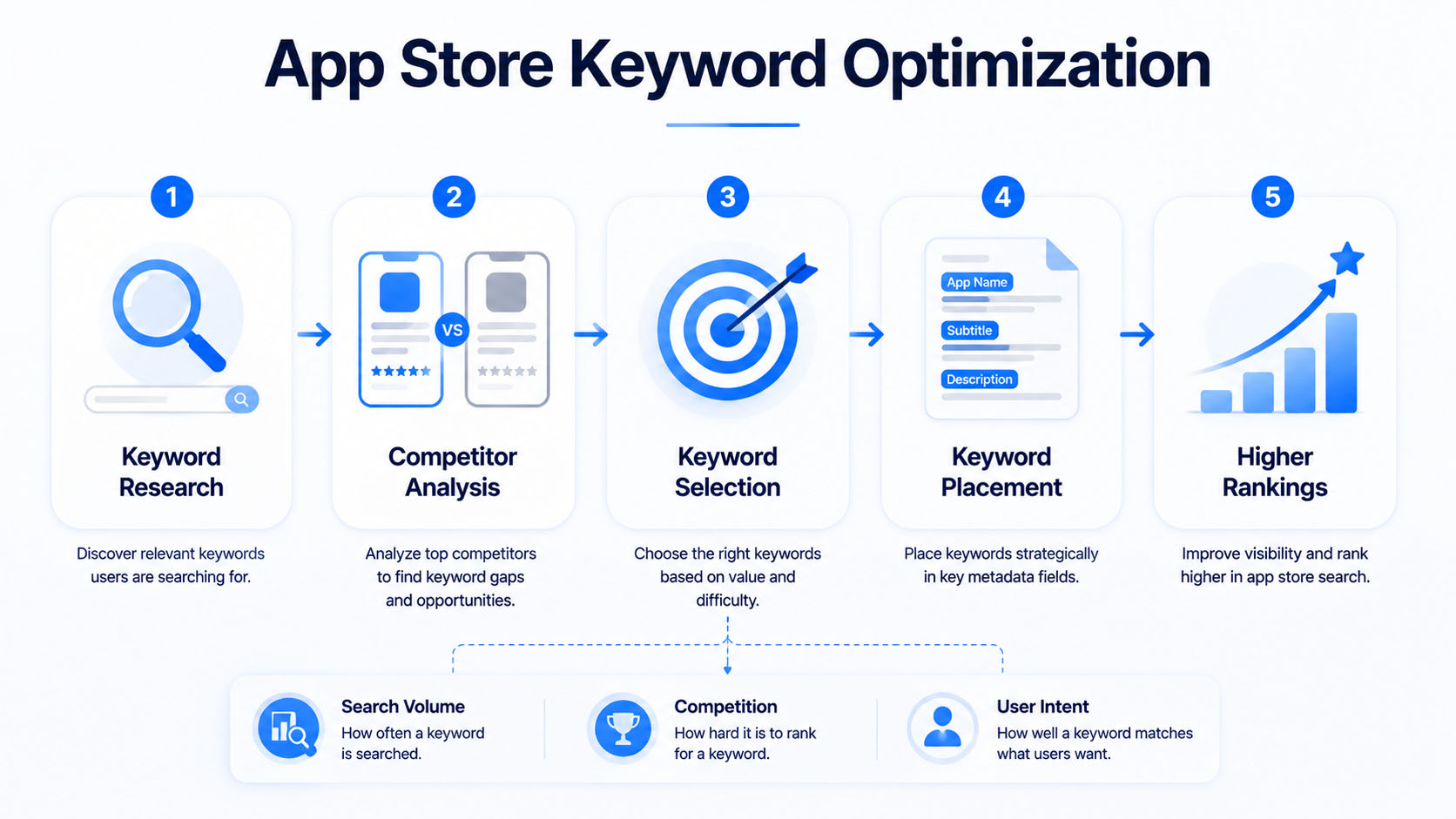
Everything in ASO starts with keywords. They form the foundation of any ASO checklist. The terms you target determine when and where your app appears in search results.
1) How to Research App Store Keywords
Start by brainstorming terms your target users might search for. Think about the problems your app solves and how people naturally describe what they’re looking for.
ASO tools like AppTweak, Sensor Tower, and App Radar can help you discover keywords, estimate search volumes, and assess competition levels. Long-tail keywords deserve attention too. A phrase like “budget tracker for couples” may have lower search volume than “budget app,” but it often converts better because it matches specific user intent.
Likewise, you can work with app store optimization experts who will handle the heavy lifting and help improve your app’s visibility and rankings.
2) Analyzing Competitor Keywords
Look at what’s working for successful apps in your category. App store optimization tools can reveal which keywords your competitors rank for, giving you a roadmap of proven terms worth targeting.
For example, if you’re launching a meditation app, analyzing how Calm and Headspace optimize their listings can reveal keyword opportunities you may have missed.
3) Prioritizing Keywords by Value and Difficulty
Not all keywords are worth pursuing equally. Balance search volume against competition level to find terms where you can realistically rank.
Keyword difficulty scores in ASO tools estimate how hard it will be to rank for a given term based on the strength of current top-ranking apps. Starting with achievable mid-difficulty keywords often makes more sense than immediately targeting the most competitive terms.
4) Where to Place Keywords in Your Listing
Each platform has specific rules for keyword placement:
- iOS App Store: Include your primary keyword in the app name, use the subtitle for secondary keywords, and fill the 100-character keyword field completely. Separate keywords with commas and no spaces.
- Google Play Store: Distribute keywords naturally throughout your title, short description, and long description. Google indexes everything, so placement throughout all text fields matters.
5) Seasonal Keyword Planning
Seasonal keyword planning is another opportunity most teams overlook. Certain search terms spike during specific times of year.
For example, tax-related keywords surge in spring, shopping and gifting terms peak during the holidays, and fitness keywords climb every January. Mapping out these seasonal windows in advance and updating your app’s keyword ahead of the curve can drive a significant influx of traffic during high-intent periods.
How to Optimize Your App Title and Metadata
Your app’s text elements directly impact both visibility and conversion. This is where keyword strategy meets persuasive copywriting.
App Name and Title
Your app name carries the most weight for search rankings on both platforms. Include your brand name plus your primary keyword when possible.
A meditation app, for instance, might weave its core benefit directly into its title rather than leading with just a brand name.
Subtitle and Short Description
This space communicates your core value proposition while incorporating secondary keywords. On iOS, you have 30 characters for the subtitle. Google Play allows 80 characters for the short description.
Clarity beats cleverness here. Users scanning search results want to immediately understand what your app does.
Long Description Best Practices
For Google Play: Since Google indexes your long description, include target keywords naturally multiple times. Aim for readable keyword density without forcing terms awkwardly.
For iOS: Apple doesn’t index the long description for search, so focus entirely on conversion. Use short paragraphs and bullet points to convince users to download.
iOS Keyword Field
Apple provides a hidden 100-character keyword field that significantly influences search rankings. A few rules make this field more effective:
- Use commas to separate keywords with no spaces after
- Don’t repeat words already in your title or subtitle
- Include singular and plural variations
- Add common misspellings of your key terms
App Store Visual Optimization
Once users find your listing, visuals drive the download decision. Your icon, screenshots, and preview video work together to communicate value quickly.
App Icon Design
Your icon appears everywhere, from search results to users’ home screens. It is one of the highest-leverage elements to the A/B test. Therefore, it needs to be distinctive and recognizable at small sizes.
Avoid text and fine details that won’t render clearly when scaled down. Instagram’s camera icon and Spotify’s sound waves are good examples of icons that communicate purpose at a glance.
A small change in icon design can produce a measurable lift in tap-through rates, yet it remains one of the most commonly skipped tests in ASO.
Screenshot Optimization
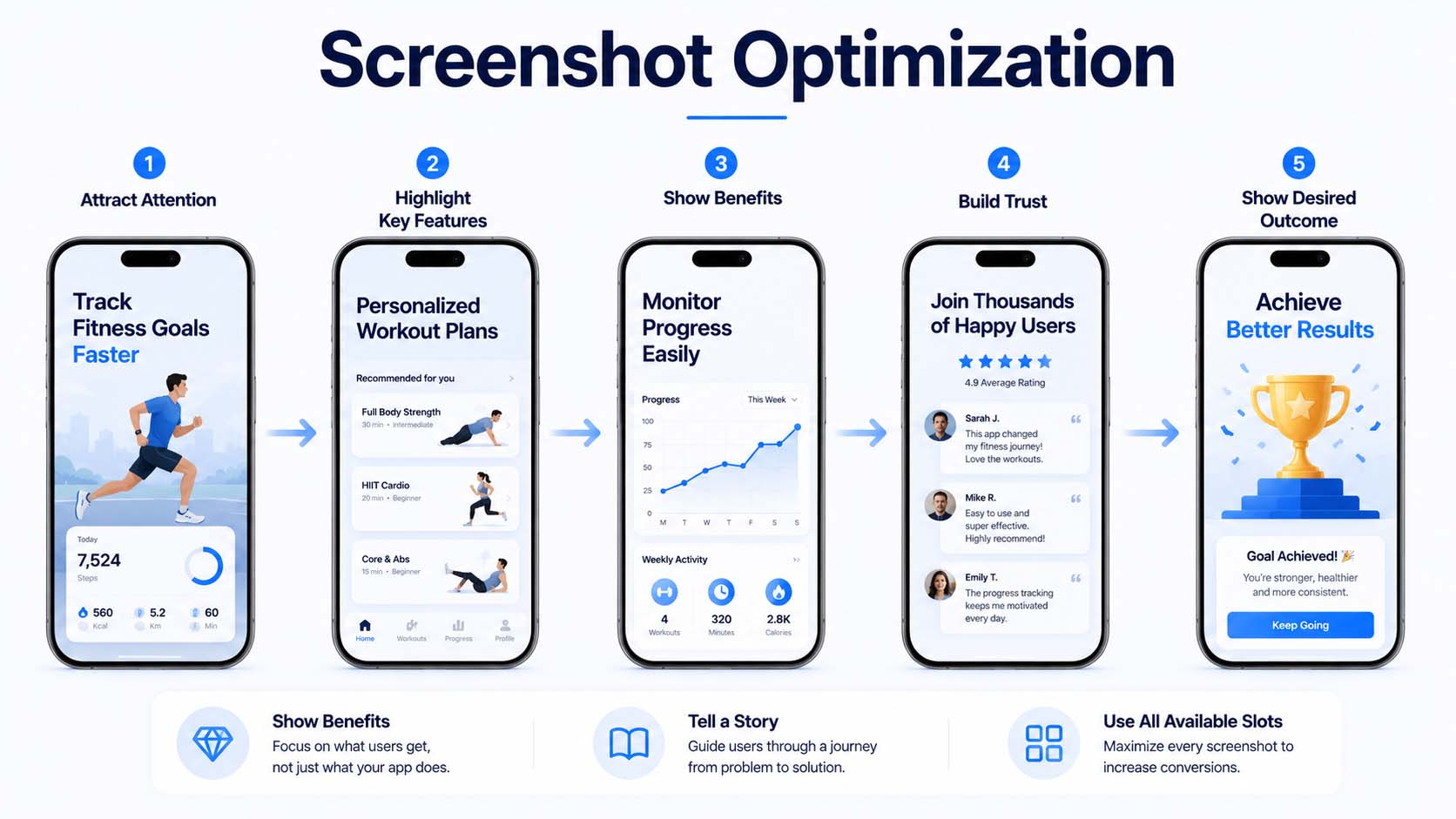
Screenshots are often the deciding factor for downloads. The first two screenshots are especially critical since they’re visible before users tap to see more.
- Show the app in action rather than just static UI screens
- Add text overlays that highlight key benefits and features
- Use all available slots to tell a complete story
- Put your most persuasive screenshot first. It’s the one that determines whether a user keeps scrolling or walks away.
App Preview Videos
Preview videos can boost conversion rates when done well. The first three seconds are critical because many users won’t watch beyond that point.
Show actual app functionality rather than cinematic trailers. Users want to see what they’ll experience after downloading.
How to Improve App Ratings and Reviews
Ratings and reviews influence both your search rankings and your conversion rate. According to AppTweak, a one-star increase can boost conversions 10–15%, meaning a 4.5-star app will outperform a 3.5-star app in almost every metric.
When and How to Prompt for Reviews
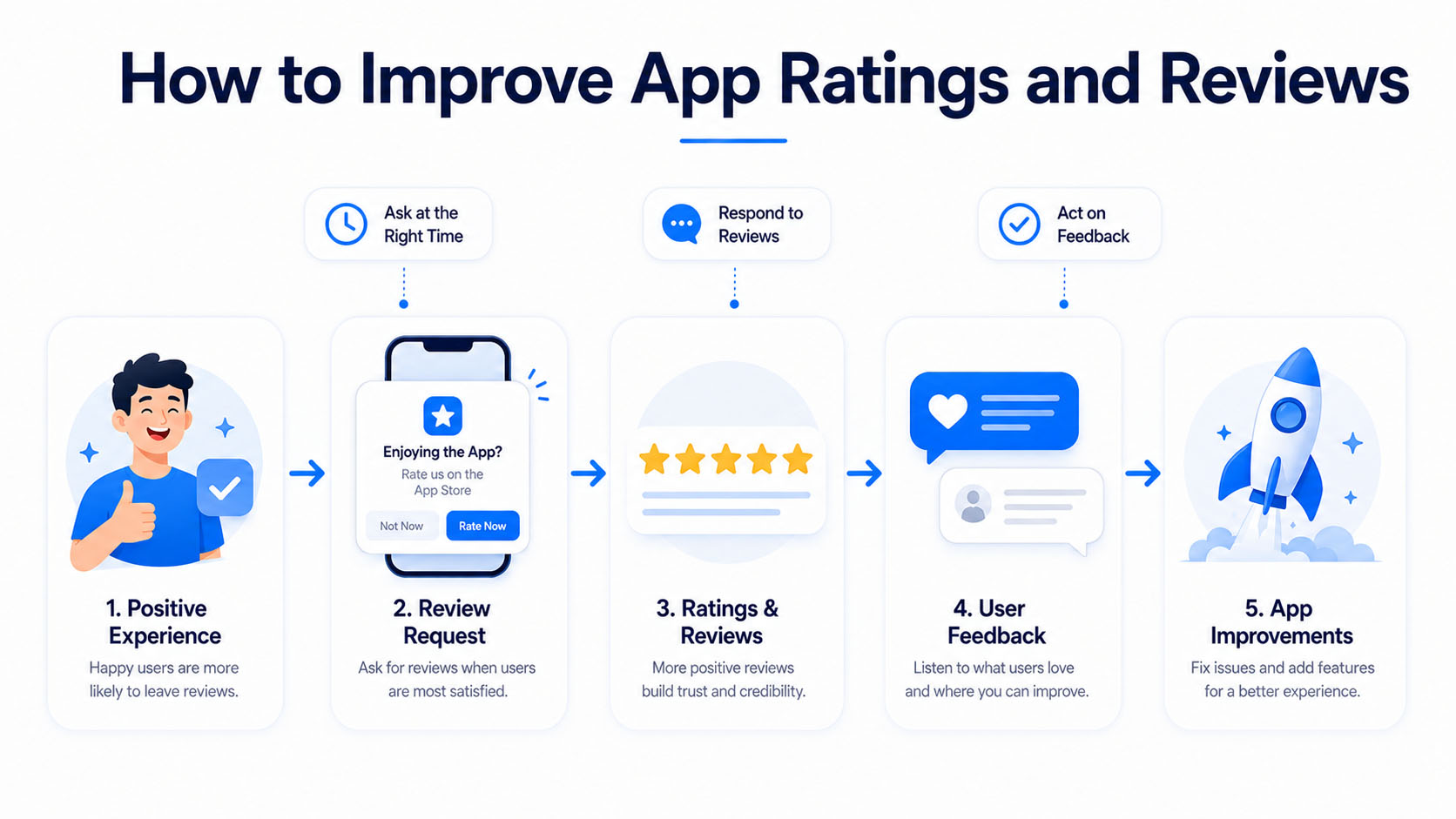
Timing matters more than frequency. Prompt users for reviews after positive experiences, like completing a level or successfully using a key feature.
Use the native review prompts provided by Apple and Google rather than custom solutions. These in-app review APIs are less disruptive to the user experience and significantly more likely to convert into genuine ratings and reviews.
Responding to User Reviews
Responding to reviews signals active support and can influence how potential users perceive your app. On Google Play, your response rate may also factor into rankings.
Thank users for positive feedback and address concerns in negative reviews professionally.
Turning Negative Feedback into Improvements
Reviews are a goldmine of product feedback. Look for patterns in negative reviews to identify bugs, missing features, or usability issues worth addressing.
When you fix problems mentioned in reviews, consider responding to let users know. Some will revise their ratings after seeing their feedback was heard.
A/B Testing for App Store Listings
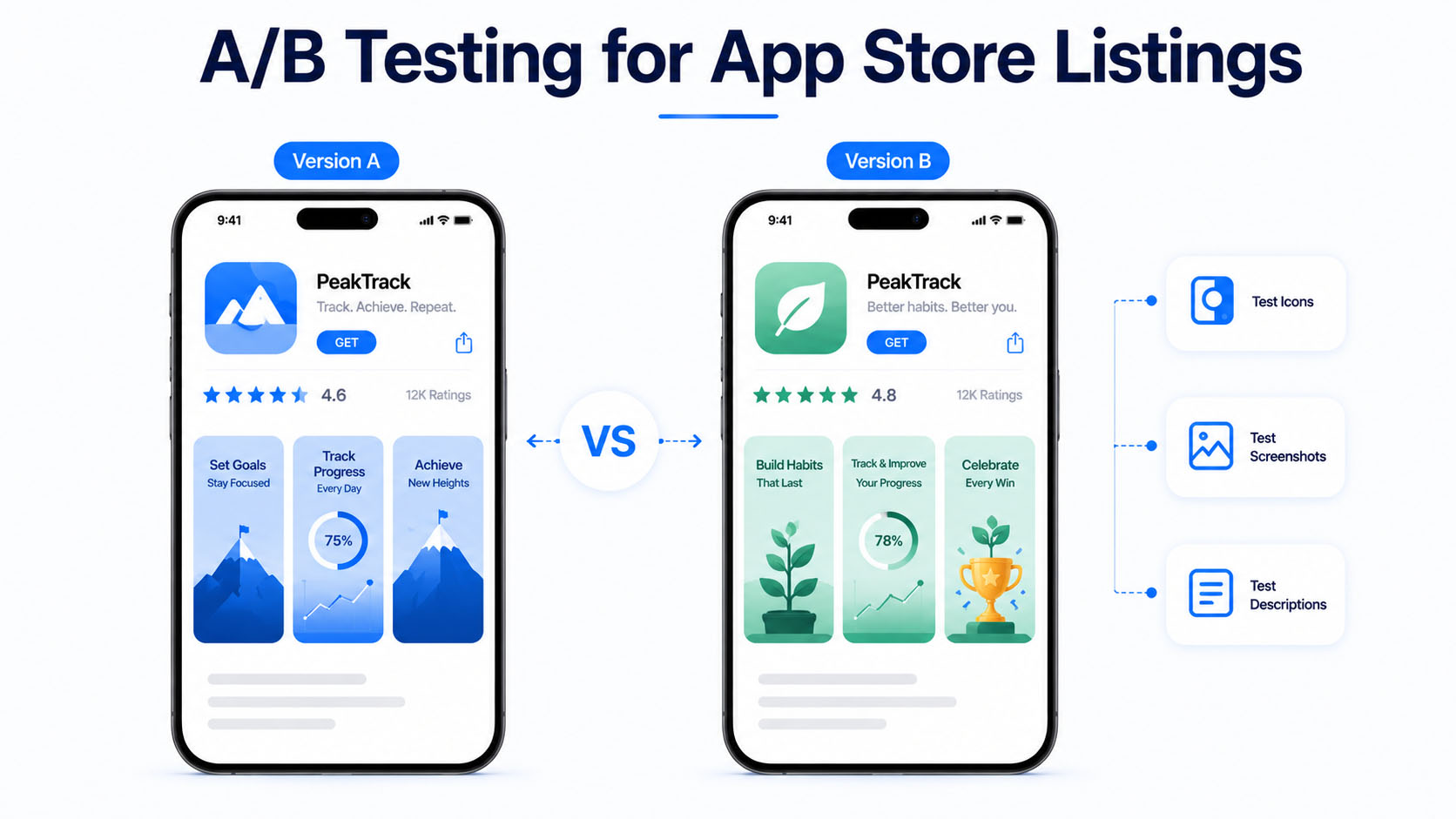
Testing different versions of your listing elements helps maximize conversion rates over time.
Both platforms offer native A/B testing tools:
- App Store Connect (iOS) allows testing of icons, screenshots, and preview videos.
- Google Play Console offers experiments for icons, feature graphics, screenshots, and descriptions.
Test one element at a time and run experiments long enough to reach statistical significance. Small improvements in conversion rate compound significantly at scale.
It’s also worth making your metadata and creative updates gradually rather than changing everything at once. Updating your keywords, screenshots, and icon simultaneously makes it nearly impossible to identify which individual change drove a shift in performance. A two-week gap between changes gives you cleaner data and more actionable insights.
If you’re unsure how to structure your testing timeline, our guide on how to run an effective A/B test for your app store listing breaks down the process in more detail.
How to Localize Your App for Global Markets
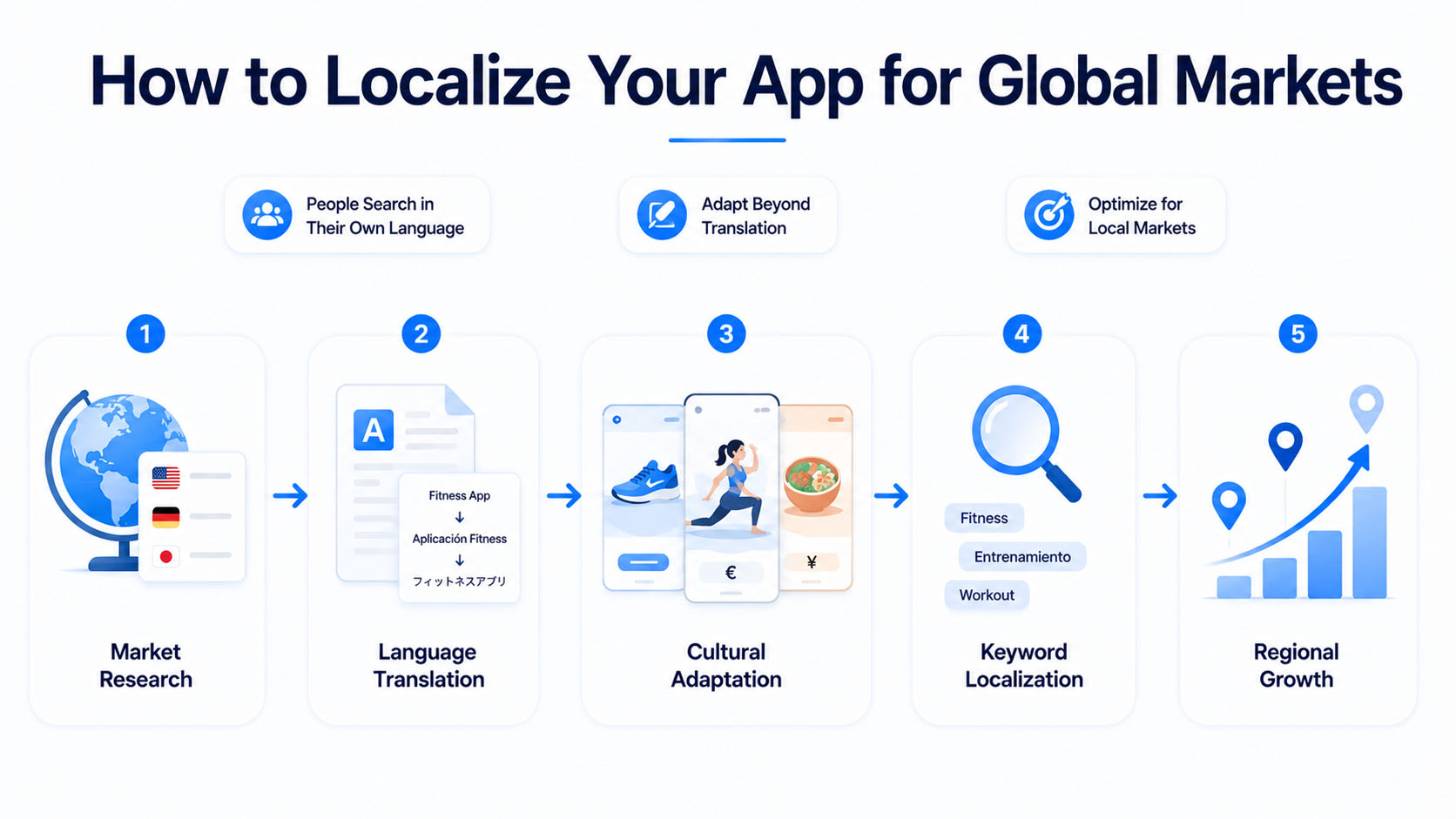
Localization goes beyond translation. Localized listings have improved install rates by up to 48% in multilingual markets, so adapting your app listing for different regions means researching keywords relevant to local search behavior and culturally adapting screenshots.
Prioritize markets based on opportunity. Look at where similar apps perform well and where competition is manageable.
The logic is simple: people search in their own language, so an app store listing in that language will match more local searches, feel more relevant to users, and ultimately perform better than a one-size-fits-all English listing.
Platform-Specific App Store Optimizations
While the core principles of ASO apply across platforms, iOS and Android each have their own unique elements that require platform-specific attention. Here’s what to focus on for each:
iOS App Store Optimization Strategies:
Several App Store-specific elements deserve attention:
- Keyword Field: Apple provides a hidden 100-character keyword field that doesn’t appear on your public listing but directly influences search rankings. Use it wisely by avoiding repeated words, spaces, and terms already used in your title or subtitle, because every character counts.
- Subtitle: The 30-character subtitle sits just below your app name and is fully indexed by Apple’s algorithm. It’s one of the most underutilized fields in ASO, making it a valuable space to pack in secondary keywords that reinforce what your app does.
- App Store Connect A/B Testing: Apple’s native product page optimization tool lets you test up to three variations of your icon, screenshots, and app preview videos against your original listing with real traffic, helping you identify which visuals drive the most conversions.
- In-App Purchase Visibility: Unlike Google Play, Apple indexes the names and descriptions of your in-app purchases and subscriptions, making them appear in search results. Optimizing these with relevant keywords can open up additional ranking opportunities beyond your main listing.
Google Play Store Optimization Strategies:
To get the most out of Google Play, here are the platform-specific factors worth focusing on:
- Feature Graphic: This 1024×500 banner image appears at the top of your Google Play listing and is required if you want your app to be featured. While it doesn’t directly impact rankings, it plays a big role in grabbing attention and driving conversions.
- Google Play Experiments: Google Play’s built-in A/B testing tool lets you test different versions of your store listing, such as icons, screenshots, and descriptions, with real traffic. This helps you identify what resonates best with users and drives more installs.
- Keyword Density: Since Google indexes all text fields, place your most important keywords naturally throughout your title, short description, and long description to maximize your ranking potential. This matters far more on Google Play than on iOS.
How to Track ASO Performance
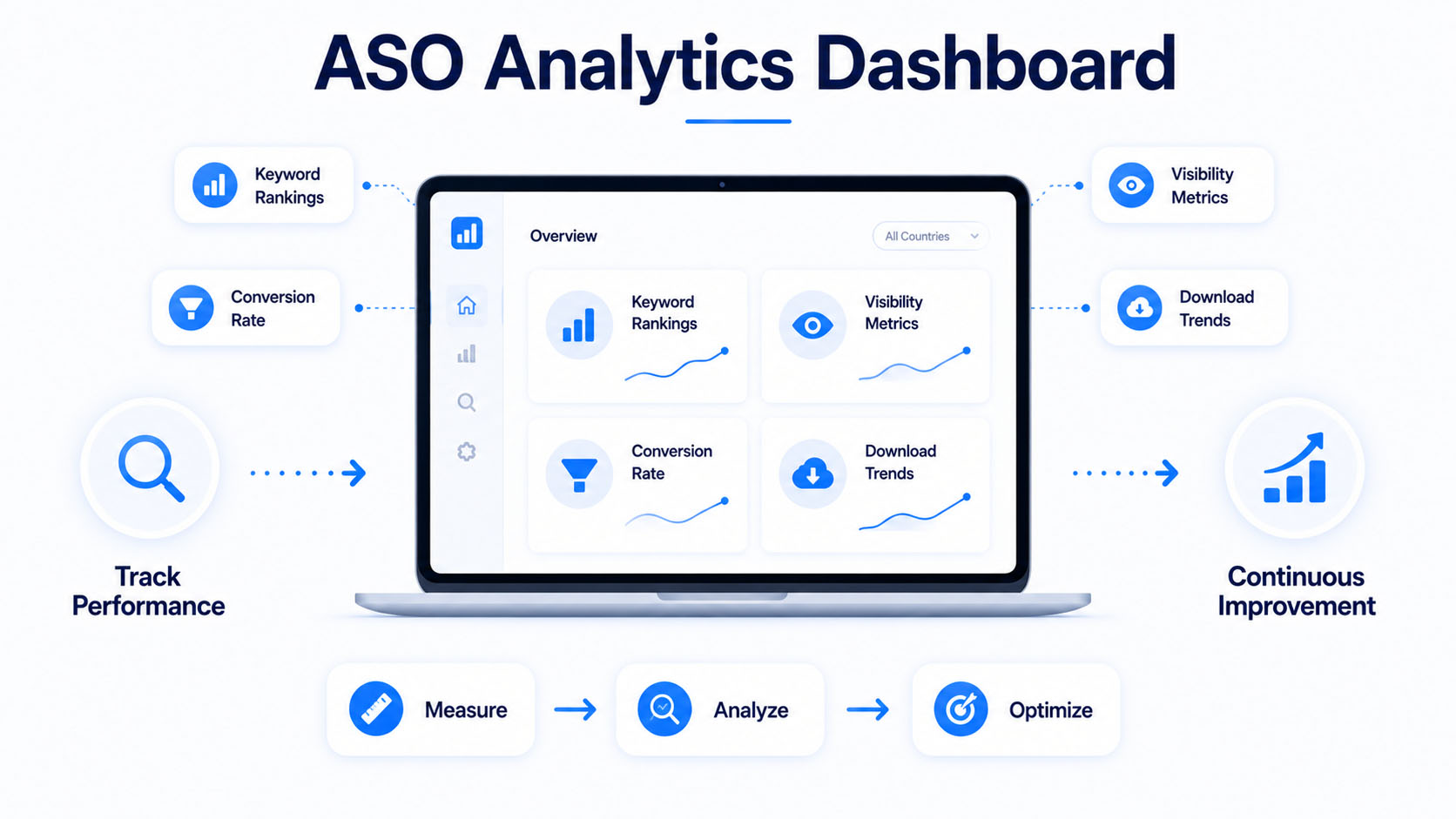
ASO isn’t a one-time project. It requires ongoing monitoring and optimization. Tracking the right metrics helps you understand what’s working and where to focus next.
Indexation Period
Before drawing conclusions from any metadata update, it’s important to account for the indexation period. After making changes to your listing, Apple’s algorithm takes up to 30 days to fully index the new metadata, while Google Play can take up to 45 days.
Making further changes before indexation completes makes it difficult to isolate what actually moved the needle. Once you see keyword rankings and impressions begin to stabilize, you’ll have a clearer picture of how your update performed.
Keyword Ranking Metrics
Monitor where your app ranks for target keywords over time. Track how rankings change after metadata updates to understand which changes had positive or negative effects. Tools like AppFollow, Sensor Tower, or MobileAction can help you track keyword movement at scale and spot trends you might otherwise miss.
Impression and Conversion Rates
Impressions show how often your app appears in search results, while taps indicate how many users clicked through to view your listing. Installs measure how many of those visits turned into actual downloads.
Your conversion rate, the percentage of listing views that result in downloads, is the key metric for evaluating visual and copy optimization efforts.A high impression count paired with a low conversion rate usually signals that your listing isn’t compelling enough to turn browsers into users, which is a clear sign that your creative assets need revisiting.
Download and Revenue Attribution
Connect your ASO efforts to real business outcomes by tracking organic versus paid installs separately. This helps you measure the true return on your optimization work without paid campaigns affecting the numbers.
Going a step further, understanding which specific keywords are driving your most valuable users helps you prioritize where to focus your optimization efforts next rather than chasing volume alone.
Essential ASO Tools for Your Checklist
While app stores provide some analytics, third-party mobile app marketing tools offer deeper insights for serious ASO work.
Keyword Research and Tracking Tools
Tools like AppTweak, Sensor Tower, App Radar, and Mobile Action help discover keywords, track rankings over time, and estimate search volumes.
Competitive Analysis Tools
These platforms monitor competitor rankings, keyword strategies, and listing changes. Understanding how competitors position themselves helps inform your own strategy.
Review Monitoring and Management Tools
For apps with significant review volume, tools that aggregate reviews across stores and help manage responses at scale can save considerable time.
Common App Store Optimization Mistakes That Hurt Your Rankings
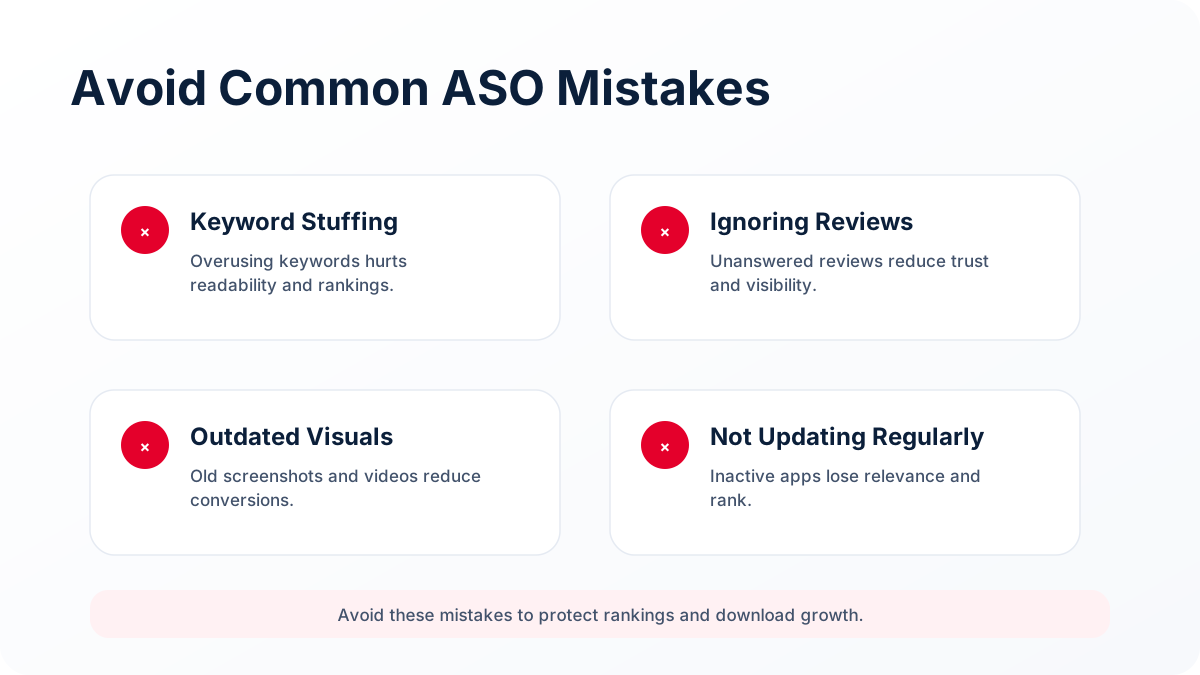
Even well-built apps lose ground in the rankings because of a few avoidable mistakes. Here’s what to watch out for:
1) Keyword Stuffing
Overloading titles and descriptions with keywords hurts readability and can trigger store penalties. App store algorithms are sophisticated enough to recognize unnatural language, so keyword cramming often does more harm than good. Focus on incorporating keywords naturally in a way that still makes sense to the reader.
2) Ignoring Competitor Analysis
Optimizing without understanding what successful competitors are doing means missing proven strategies and obvious opportunities. Regularly studying top-ranking apps in your category can surface keyword gaps, visual trends, and positioning angles that you can apply to your own listing.
3) Neglecting Visual Asset Updates
Outdated screenshots showing an old UI or missing features can quietly hurt your conversion rate. Every time you ship a significant update, your visuals should reflect it. First impressions in the app store are largely visual, and a listing that looks neglected can turn users away before they even read your description.
4) Overlooking Review Responses
Leaving negative reviews unanswered signals poor customer support and can deter potential users from downloading your app. But it’s not just negative reviews that matter. Responding to positive reviews also builds trust and shows the algorithm that your app has an active, engaged developer behind it.
5) Skipping A/B Testing
Many teams set their icons, screenshots, and descriptions once and never revisit them. Without testing variations, you have no way of knowing whether a different visual or headline could be driving significantly more installs. Both the App Store and Google Play offer built-in testing tools that make this easier than most teams realize.
6) Focusing Only on Rankings and Ignoring Conversion Rate
Ranking well for keywords brings traffic to your listing, but it’s your conversion rate that turns that traffic into downloads. Teams that obsess over rankings while neglecting their screenshots, descriptions, and overall listing quality often find that more visibility doesn’t automatically mean more installs.
7) Treating ASO as a One-Time Task
ASO requires continuous monitoring and iteration as competition intensifies and algorithms evolve. What works today may not work six months from now. Setting a regular cadence for reviewing your keyword performance, updating visuals, and analyzing competitor listings is what separates apps that sustain their growth from those that plateau after launch.
Your Competitors Are Already Optimizing. Are You?
Thousands of apps launch every day, and the majority sink quietly to the bottom of the rankings not because they weren’t good enough, but because app store optimization was never part of the plan.
You could have the best app in your category and still watch a mediocre competitor outrank you simply because they got their ASO right. That’s the reality of how the app stores work. Visibility doesn’t go to the most deserving app, it goes to the best optimized one.
At Zco, our full-cycle mobile app development process is built around closing that gap. From keyword strategy and metadata to visuals and post-launch monitoring, we make sure that the work that goes into building your app is matched by the work that goes into getting it seen. Talk to us about your app and let’s build something that earns its place in the rankings from the start.
FAQs About App Store Optimization
How long does it take to see results from app store optimization changes?
Most ASO changes take one to four weeks to fully reflect in rankings, though some keyword updates may show movement within days depending on competition levels.
How often should I update my app store listing for optimal ASO performance?
Review and refresh your app store listing at least quarterly, or whenever you release significant app updates or notice declining keyword rankings.
Can changing app store keywords hurt my existing rankings?
Yes, removing or replacing keywords where you currently rank well can cause you to lose those positions. Make changes incrementally and monitor results before further edits.
How does ASO work together with paid user acquisition campaigns?
ASO and paid acquisition are complementary. Paid campaigns drive initial downloads that boost organic rankings, while strong ASO improves conversion rates on traffic from all sources.
What is the difference between ASO and SEO?
App Store Optimization (ASO) focuses on improving an app’s visibility and conversion rates within app marketplaces such as the Apple App Store and Google Play Store. Search Engine Optimization (SEO) focuses on improving website visibility in search engines like Google and Bing.
What are the most important app store ranking factors?
The most important app store ranking factors include keyword relevance, app title optimization, metadata quality, download volume, conversion rate, ratings and reviews, user engagement, retention metrics, and update frequency.
Does ASO work for both the Apple App Store and Google Play Store?
Yes. ASO is essential for both the Apple App Store and Google Play Store, but the optimization techniques differ slightly between platforms. Apple’s algorithm relies heavily on app titles, subtitles, and keyword fields, while Google Play indexes additional metadata such as the long description.